Coraula Live
Live classes with automatic attendance.
You teach the class and each learner is logged with their name and the time they joined and left. Each one joins with a link that is theirs alone, without creating an account or installing anything.

Until now, the class was given by video call and attendance was taken by hand.
After every class, someone had to go through who had been there and who had not. It was tedious work, and there was always some doubt left.
- “Mari's phone” or “Guest 3” where a learner's name should be.
- Someone who disconnected and rejoined, listed twice.
- Anyone missing from the list, with no way of knowing whether they were absent or joined under another name.
From creating the class in your Moodle to having the attendance, without writing anything down.
- 1
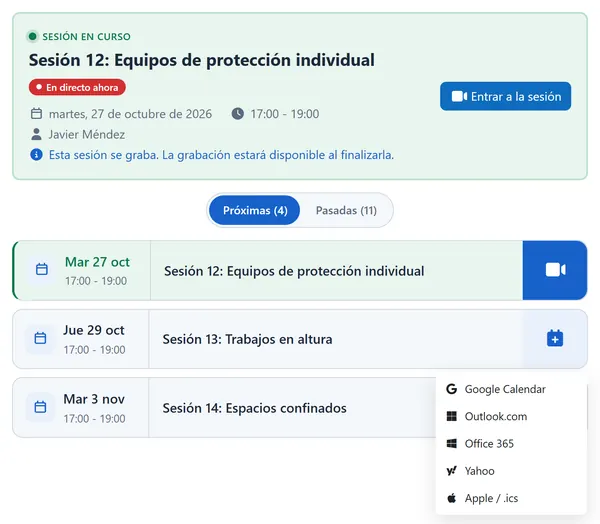
You create the class in the course and your learners get notified.
You give it a date and a time, and the class appears in the course calendar. If you change the time or cancel it, they are notified too.
- 2
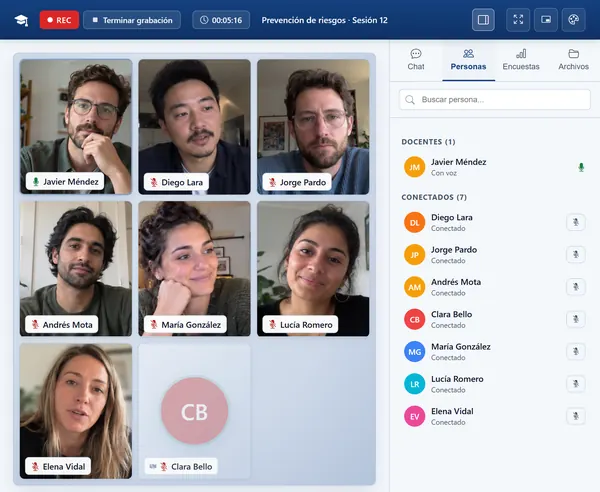
Your learners join from the course, with no other account and nothing to install.
Each one joins with their Moodle account, from the browser. In the class you share your screen and your files. Your learners write to you in the chat and answer your polls.
- 3
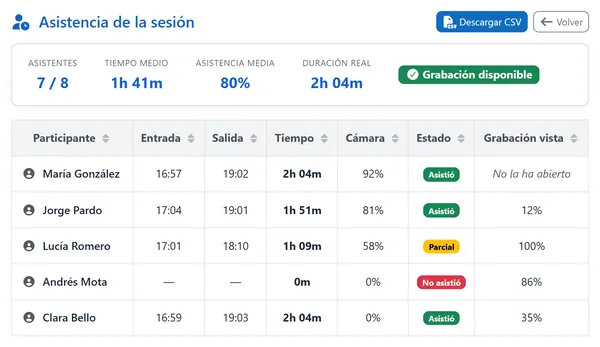
Afterwards, you know who was there and for how long.
For each learner, the time they joined and left, how long they stayed and how much of that time they had their camera on. You download it as a spreadsheet.

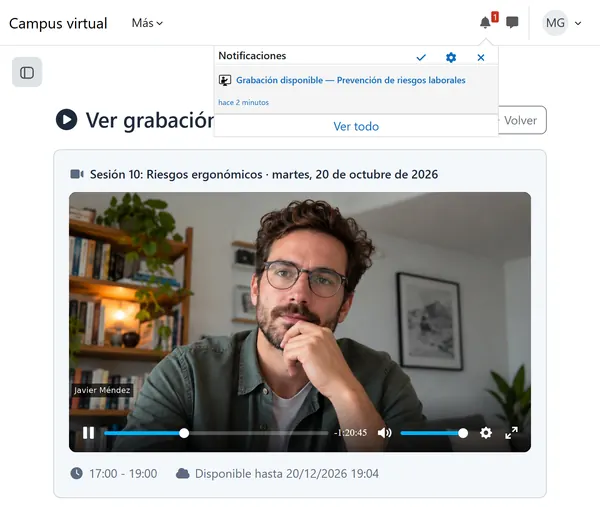
The recording appears in the course by itself and you can keep it for up to 4 years.
When the class ends it is published in the course and your learners get notified. They can watch it online for the months you contract, and you know who has watched it and which part each one watched. If you need to keep it longer, the long-term copy stores it for up to 4 years.
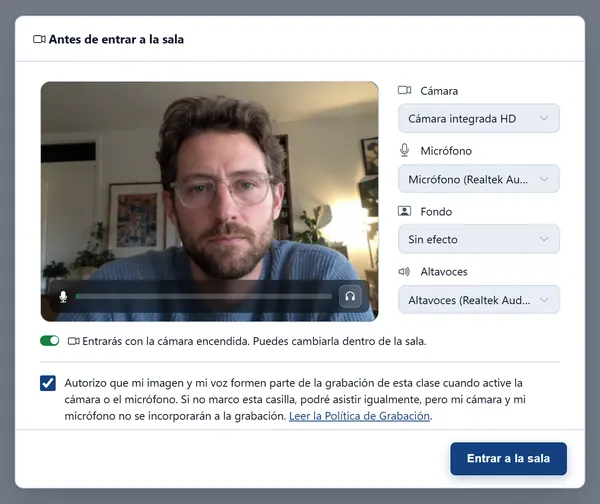
Anyone who doesn't want to appear in the recording doesn't.
Before joining, each learner ticks a box if they agree to appear in the recording. If they don't tick it, they still join and neither their image nor their voice is recorded. If they change their mind later, they withdraw permission and are removed from the recording.
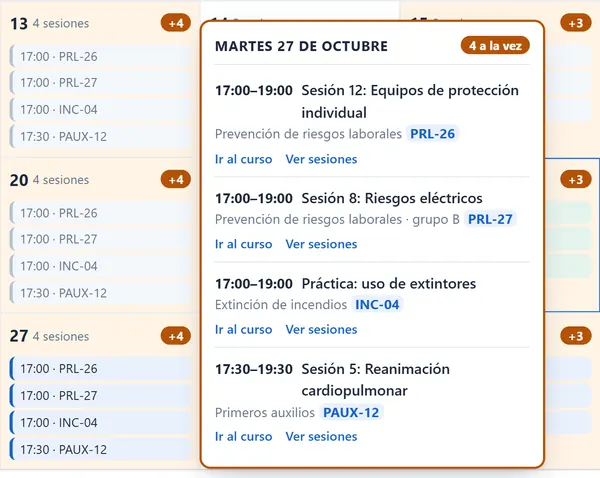
As many classes at once as you need.
Each classroom is one live class. You contract the classrooms you need and teach as many classes at once as you have classrooms, without them clashing.
Inside your Moodle, with a link or on another course platform.
We already have video calls in our office suite.
Each learner joins with their Moodle account or their personal link, so attendance shows their name, not whatever they typed when connecting.
What if I don't have Moodle?
You create a meeting in Coraula and each learner joins with their personal link. Attendance shows their name, their joining time and their leaving time. If you use another course platform, we connect it for you.
What do I need to do in my Moodle?
You connect your Moodle from your account, download the add-on already configured and install it. After that, the live class is added to the course like any other activity.
Built for teaching, not for mass events.
- Each classroom holds the number of people you contract, teachers included: once it's full, nobody else can join.
- Recordings have no backup: they last the period you contract. If you need to keep one longer, download it or contract the long-term copy.
If what you need is to broadcast an event to a large audience, Live isn't for you.
You pay for classrooms at the same time, not per learner or per class.
One classroom covers every class that doesn't overlap, including its margin before and after, and comes with one month of available recordings.
How many classes you can teach at once.
Enter a number of classrooms from 1 to 999.
Enter a number of people from 1 to 999.
Enter a number of months from 1 to 12.
Enter “No” or a number of years from 1 to 4.
Teach your first class today, at no cost.
As soon as you create your account, Live works. If you have Moodle, you connect it and download the add-on to install it. If not, you create a meeting and invite your learners with their link.